Support & QA
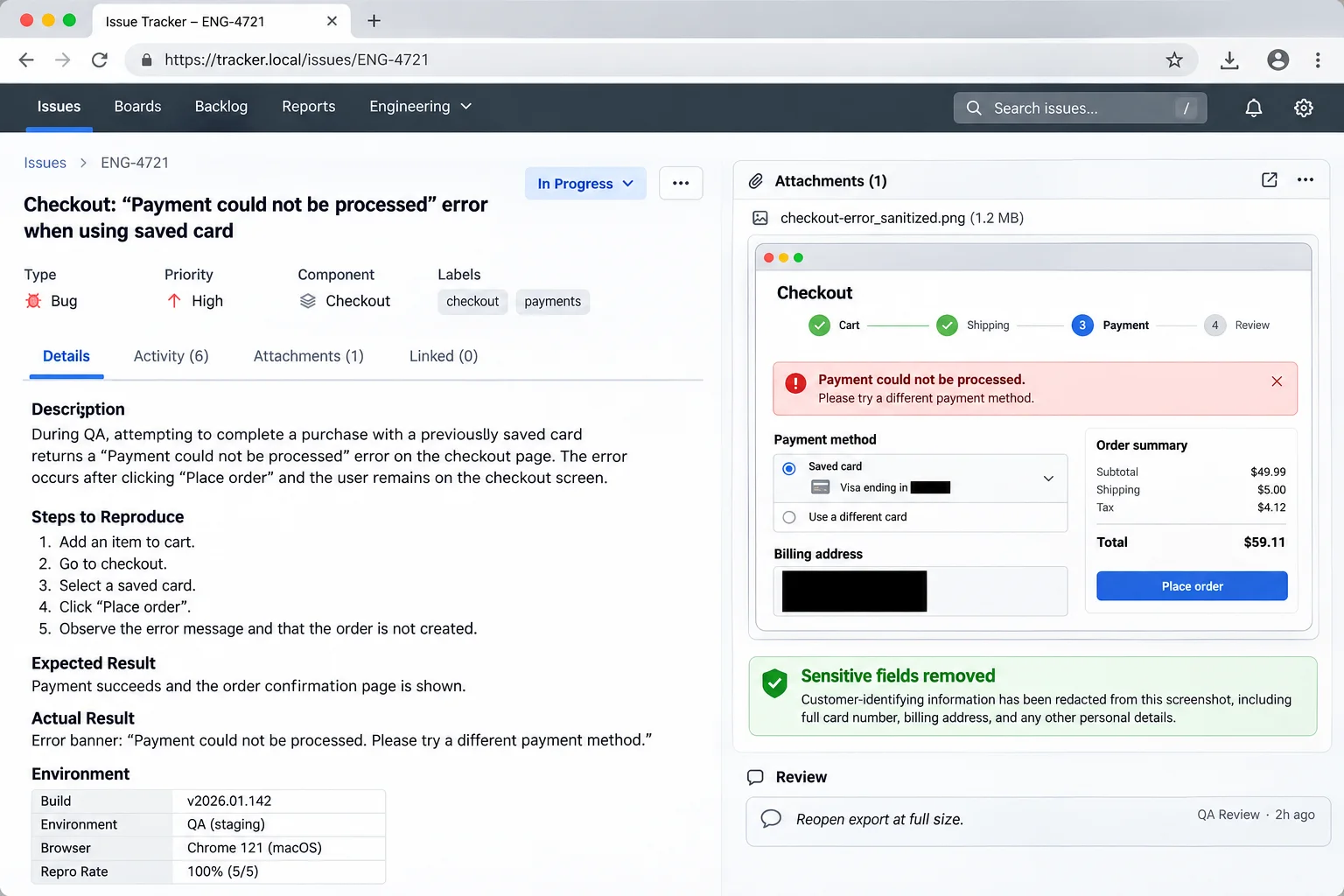
Paste screenshots and generate shareable bug links.
Grab a screen capture from your clipboard, redact sensitive API keys or PII, and get an instant link for GitHub issues, Slack, and Jira tickets.
Open Screenshot to URLImage to URL & Image to Link
Upload, drag, or paste images from your clipboard. Generate instant CDN links for Discord, Slack, Reddit, GitHub READMEs, and web embeds.
Local preview is available. Hosted transfers are being prepared.
Instant Image Converter
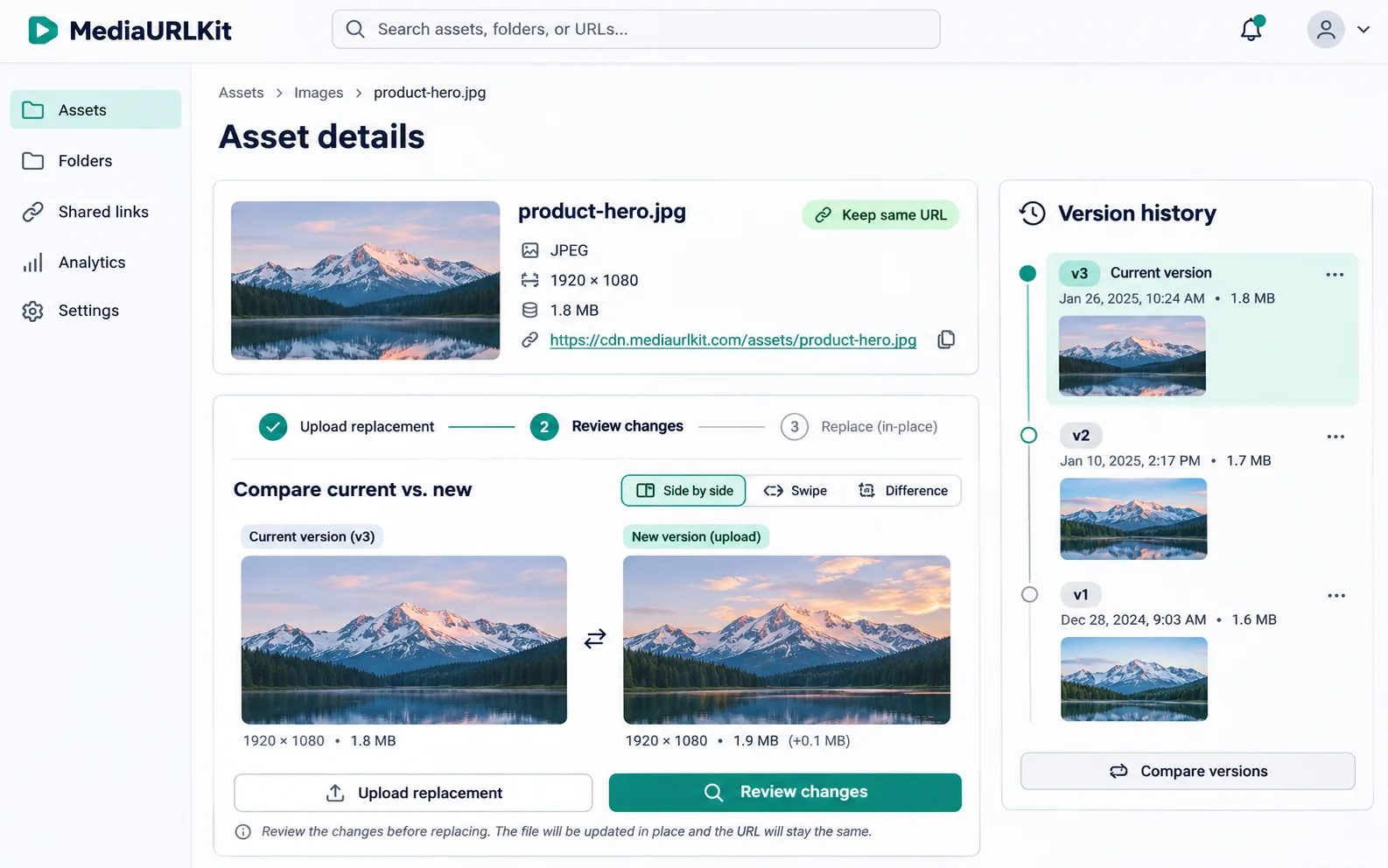
Drop a file, paste from clipboard (⌘V), or browse your computer. Fast local preview with zero quality loss.
Inspect dimensions, check fidelity, and generate an instant direct URL.
Anyone who receives an unlisted link can open it. Choose workspace access for private files.
Checking hosting availability…
Queue images for parallel upload.
Upload entire batches at once. Each image gets its own progress bar and direct URL.
Anyone who receives an unlisted link can open it. Choose workspace access for private files.
Checking hosting availability…
Purpose-Built Workflows
Different media require different handling. Choose the dedicated tool for screenshots, video streams, documents, and code previews.
Grab a screen capture from your clipboard, redact sensitive API keys or PII, and get an instant link for GitHub issues, Slack, and Jira tickets.
Open Screenshot to URL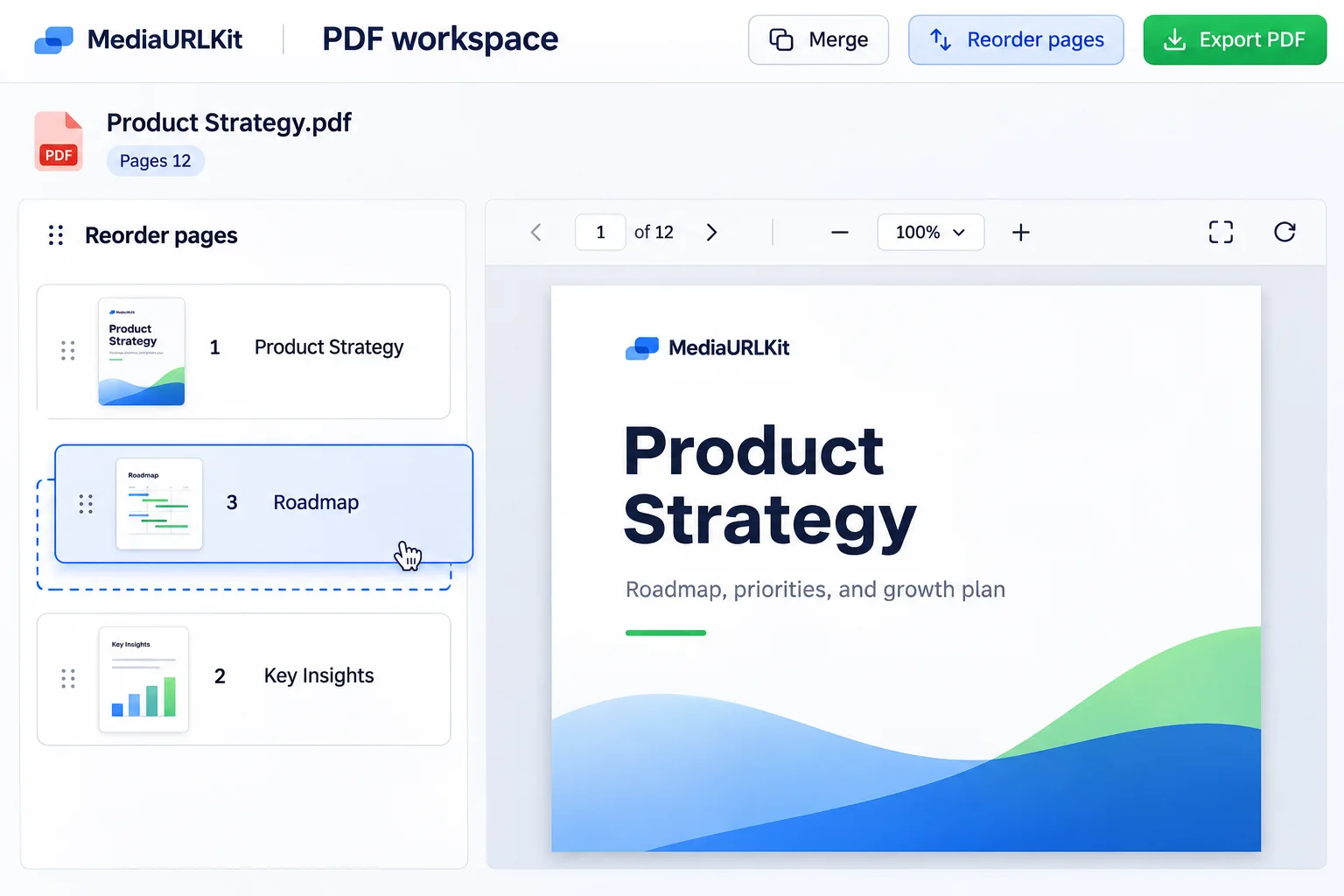
Turn multi-page contracts, resumes, pitch decks, and spec sheets into shareable URLs with optional reader views and direct file download links.
Open PDF to Link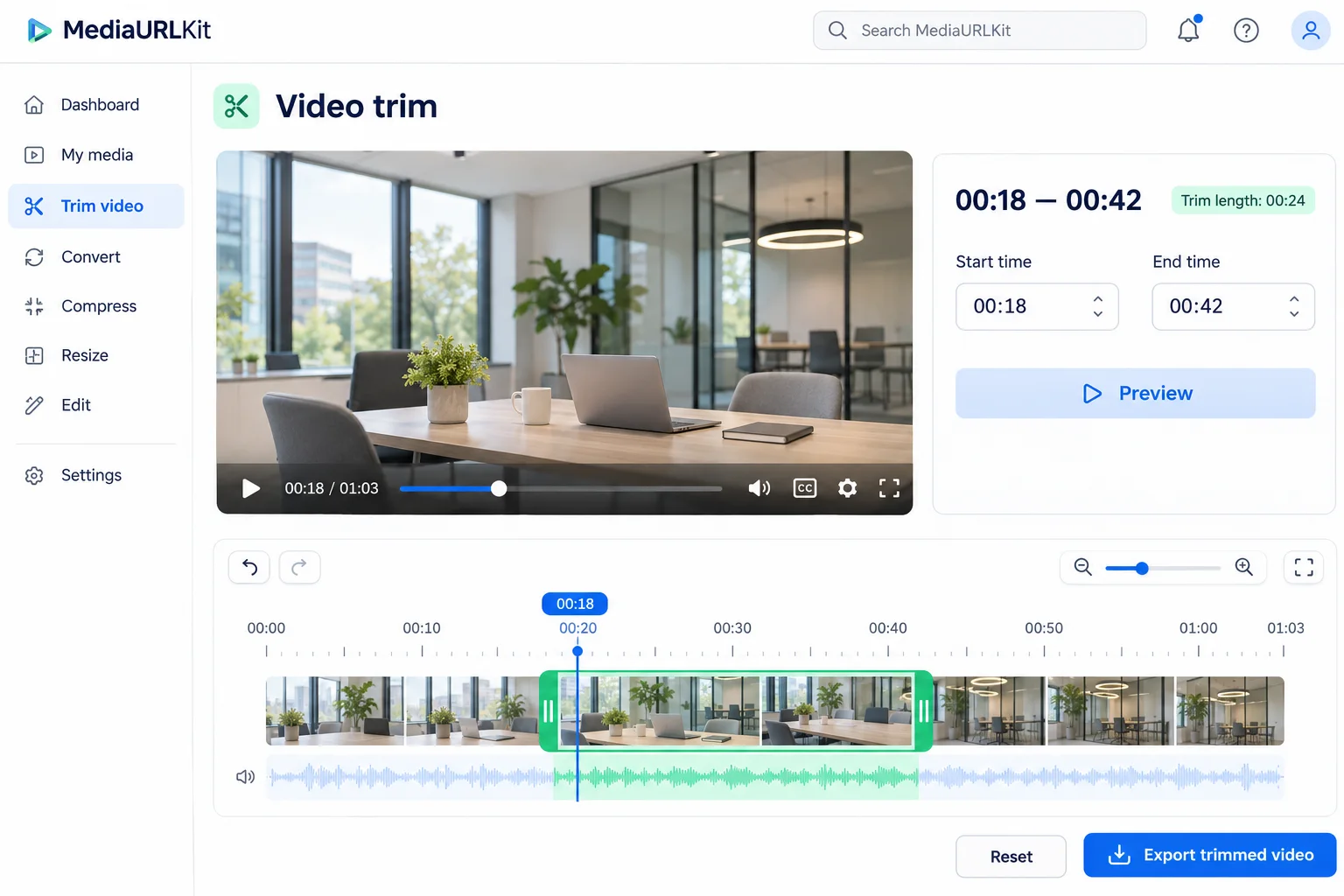
Preview MP4 and WebM recordings, test seeking performance, and get embeddable direct video links that load cleanly in modern mobile and desktop browsers.
Open Video to Link
Queue multiple files at once, track transfer progress, and generate fast download links with custom expiration and access controls.
Open File to LinkFast, Private, Direct
Verify resolution, dimensions, color profiles, and file size before sharing. Redact API keys and sensitive credentials right in your browser with zero server exposure.
How review works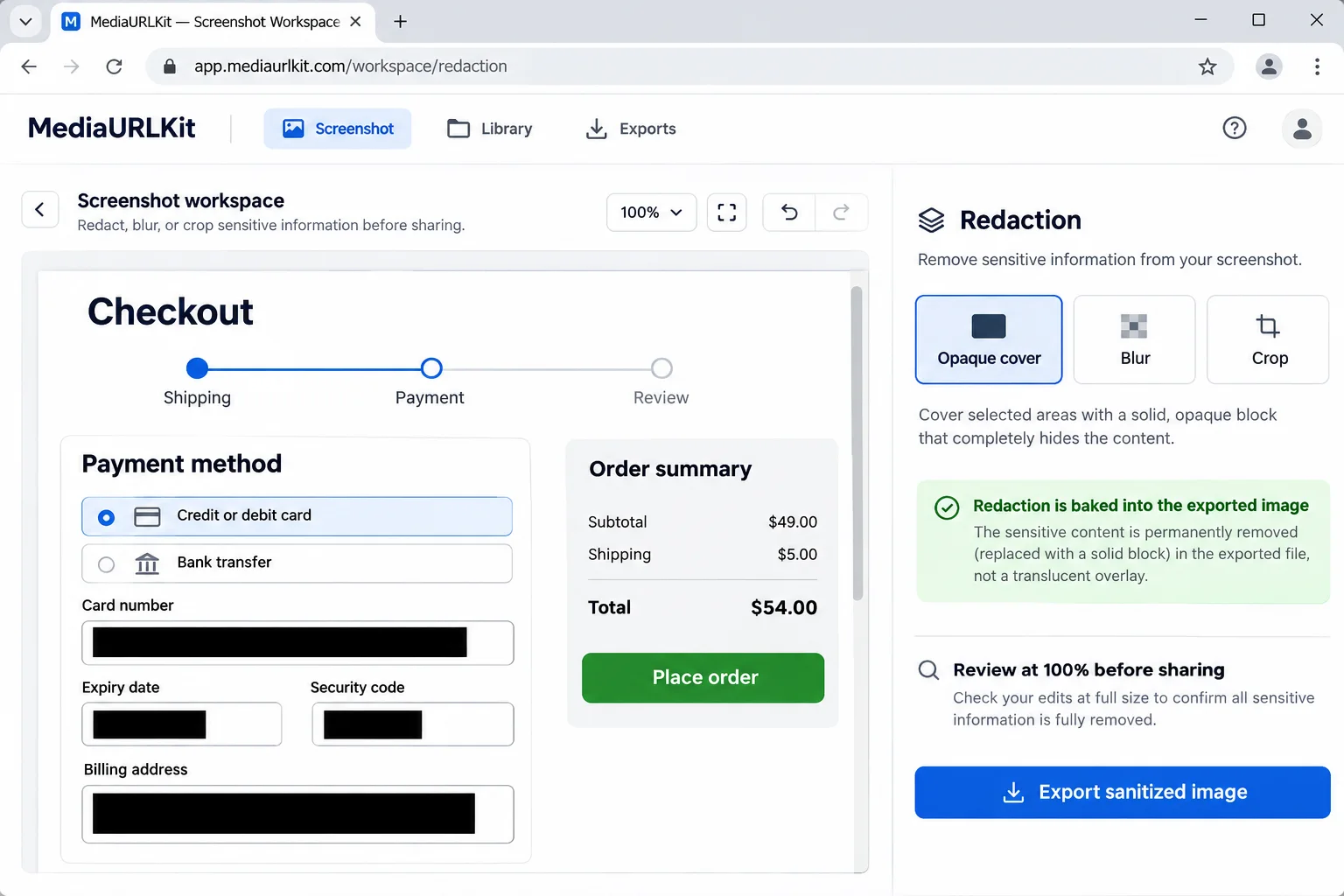
Crop images to exact aspect ratios, trim video clips, optimize animated GIFs, and adjust audio playback curves locally with lossless fidelity.
Explore local editing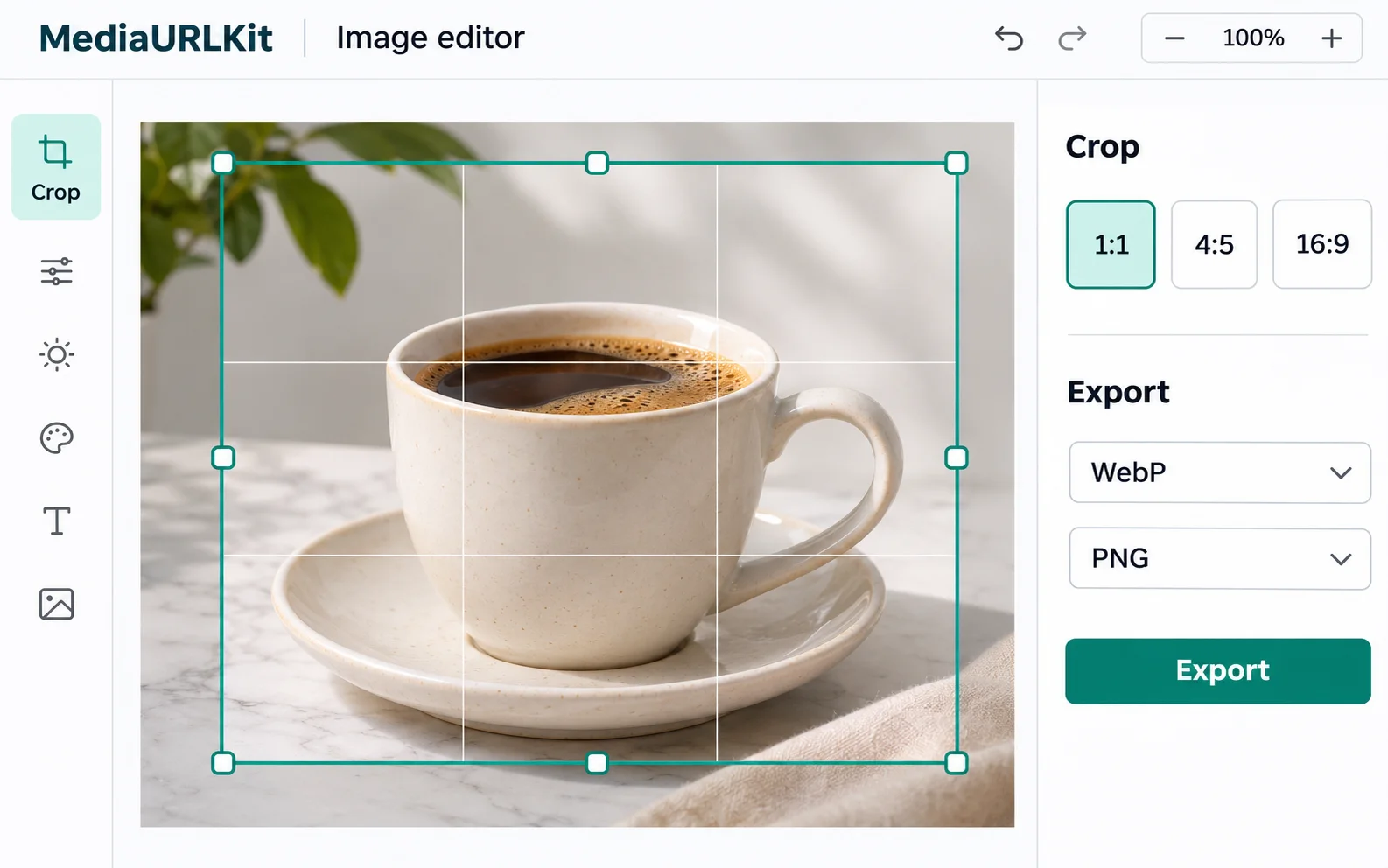
Manage your active URLs, group files into project collections, tag assets for instant search, and bulk export links with clean CSV manifests.
Look inside the library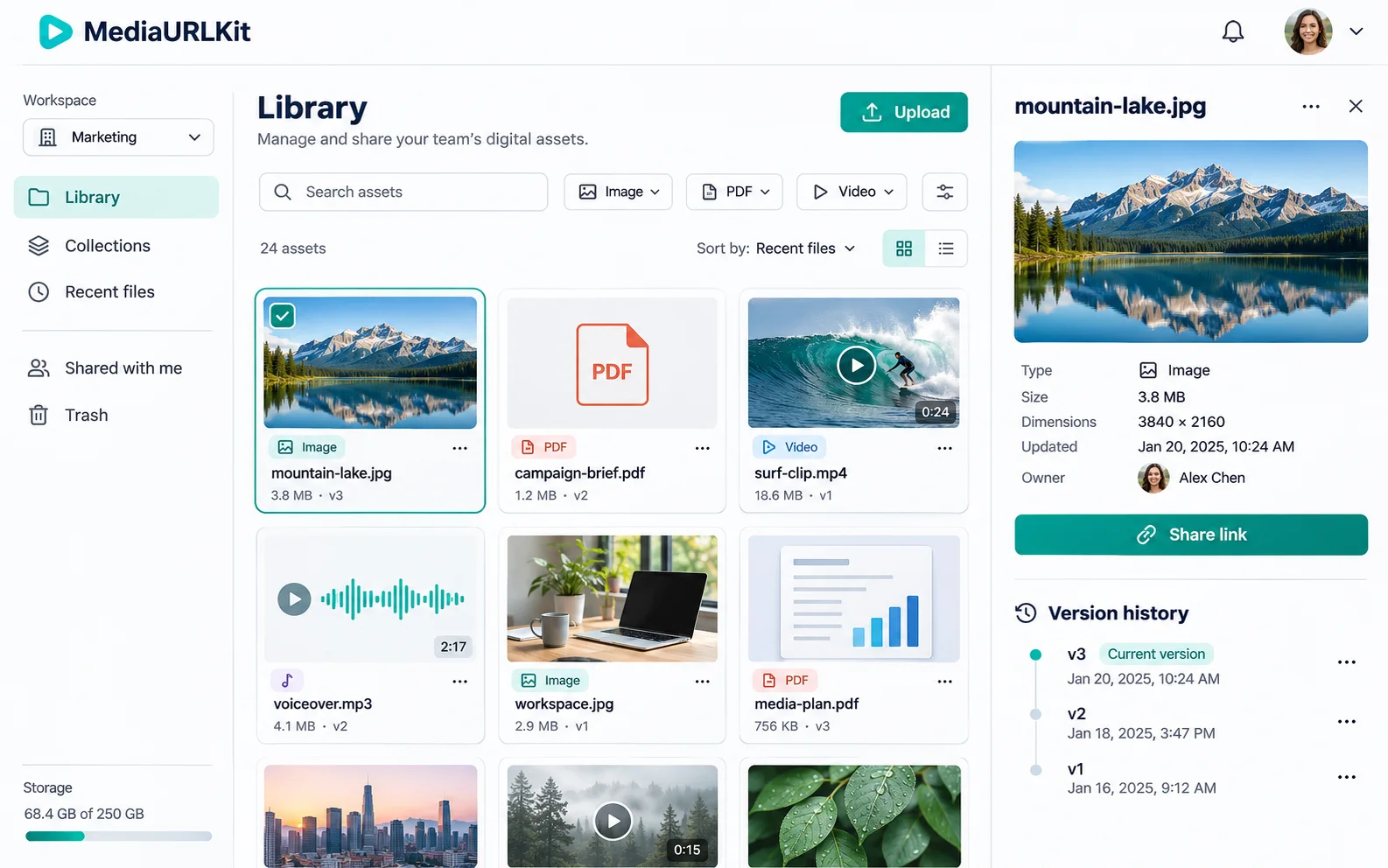
Control who accesses your files with signed HMAC tokens, password barriers, referrer whitelisting, and automated time-based link invalidation.
Explore security controls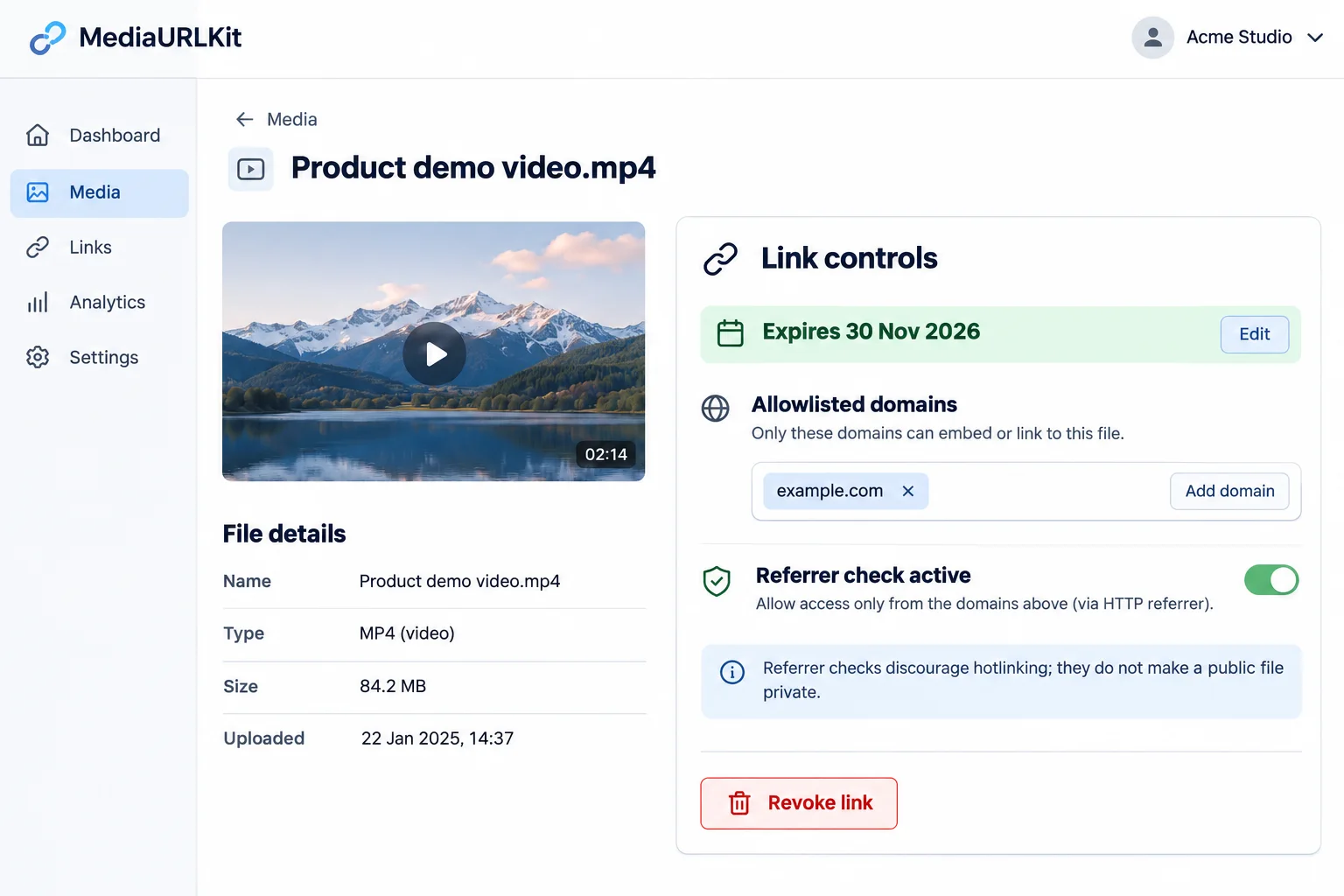
Publish direct media URLs under your own verified subdomain (e.g., cdn.yourbrand.com) backed by global edge points of presence with zero surprise bandwidth surcharges.
Connect custom domains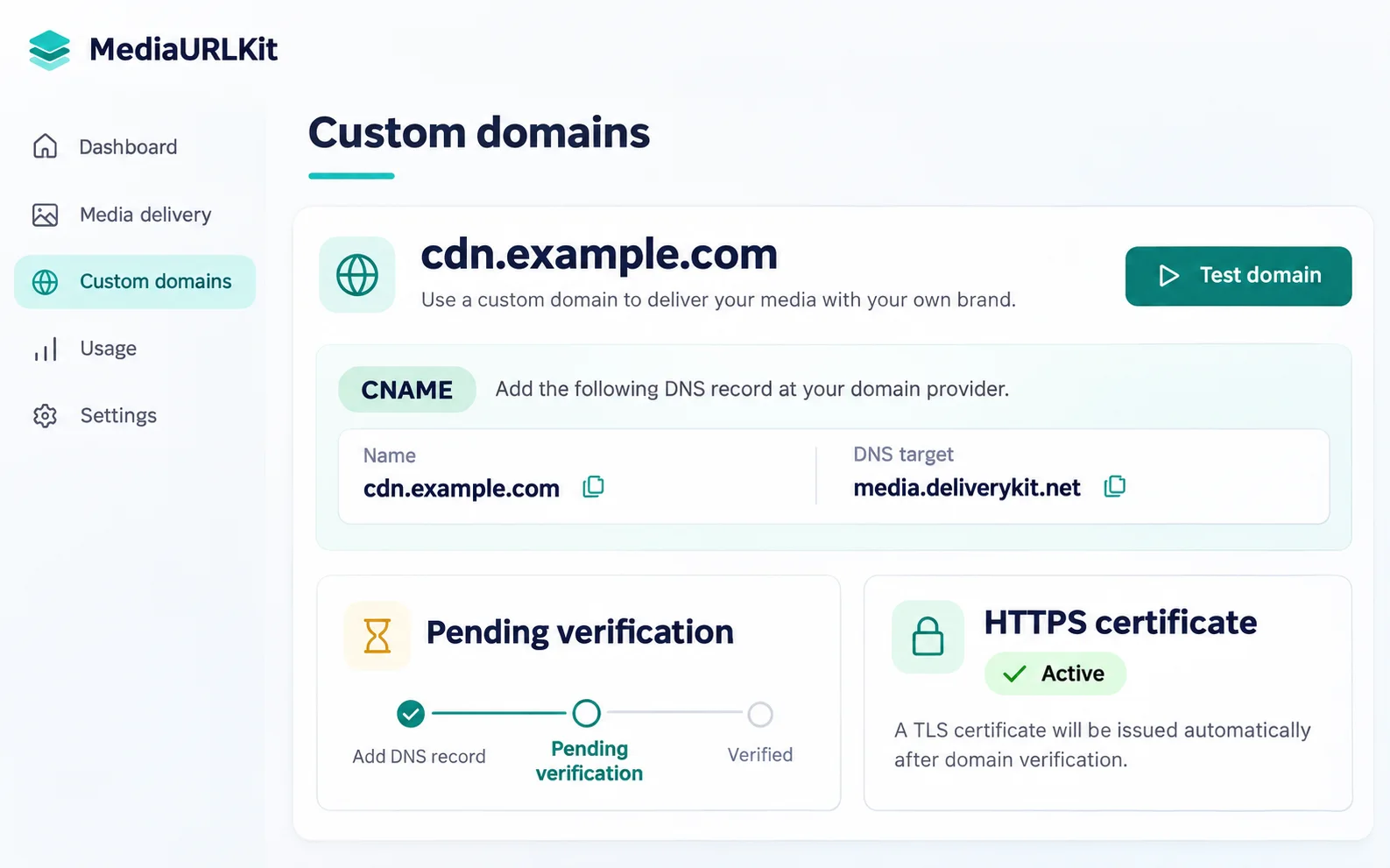
Monitor HTTP 200/206 stream requests, edge cache hit ratios, bandwidth consumption, and visitor geography with precision real-time analytics.
View telemetry insights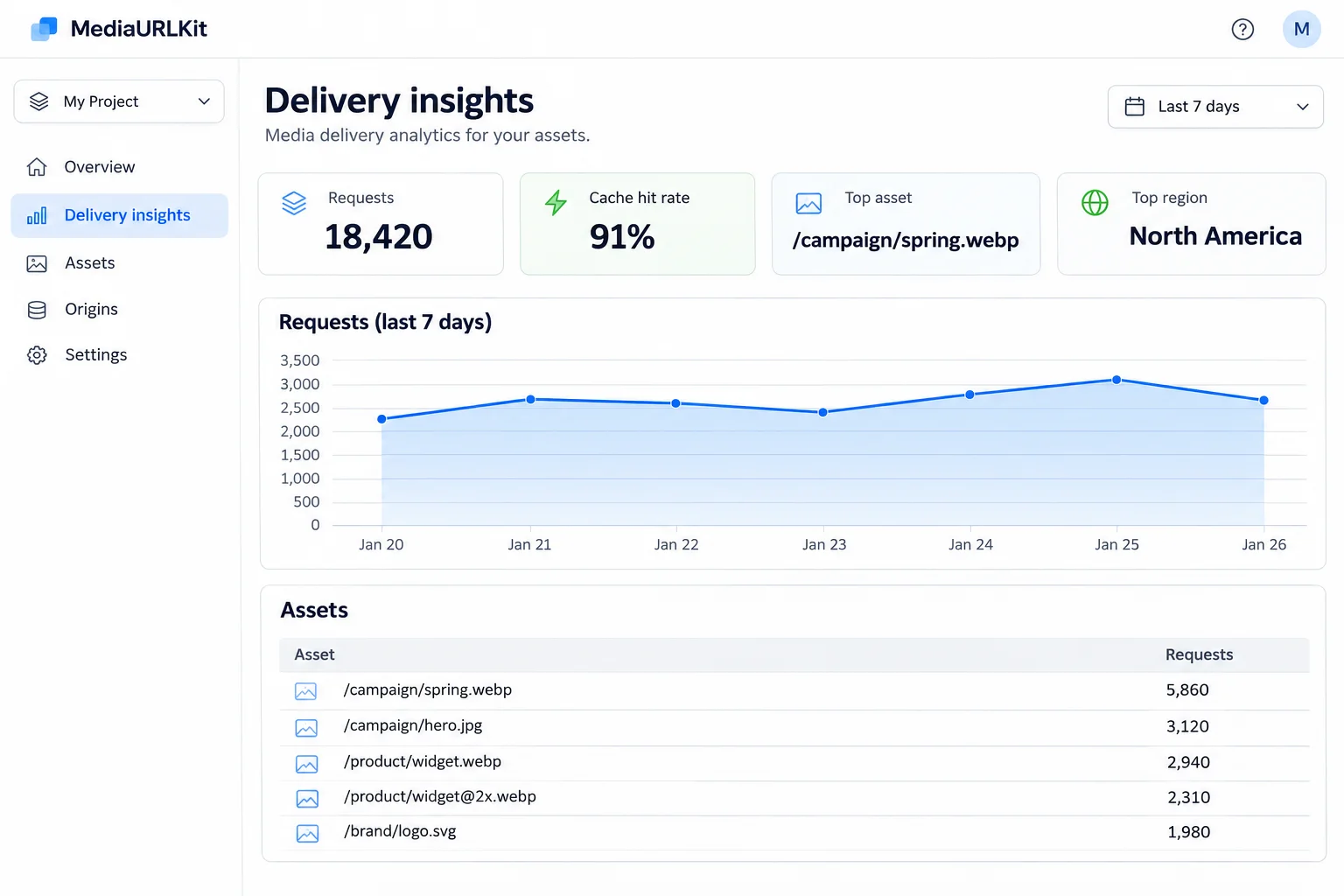
Image to URL Guide · 01
Converting an image into a direct link lets you embed, share, and distribute visuals across web pages, markdown documents, chat apps, and issue trackers. Select the right link format, verify compression, and configure custom access levels before sharing.
Link Architecture
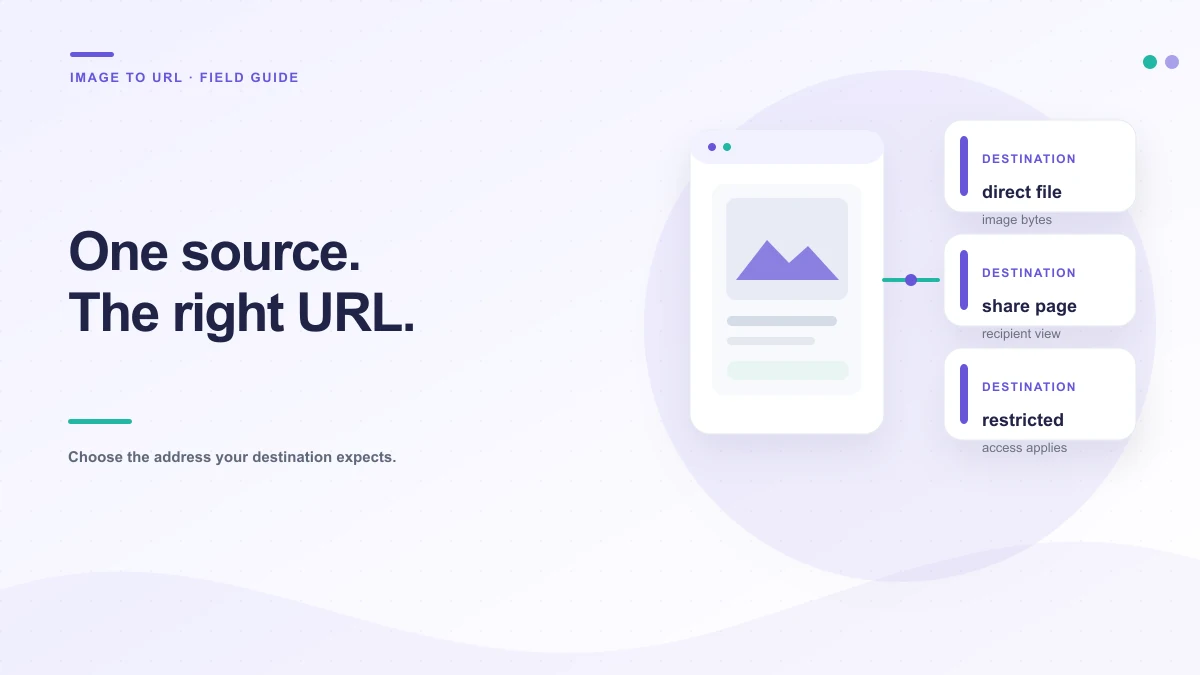
Choose the link structure required by your destination application:
For a batch, compare filenames and counts first. Similar names can hide alternate crops or old versions; group related files and keep each returned URL beside the right image.
This address returns the image itself. Use it in an HTML `src` attribute or an editor that asks for an image URL. Opening it directly may show only the picture.
image.example/field-notes.webpThis address opens a page around the file. It is useful in a message when the recipient should see context, but a field expecting image bytes cannot use it.
example.com/share/assetThis address checks access or expires. Use it for a person or team, then keep it out of permanent websites where it may stop working.
Access follows the setting
Web Embeds
Write alt text that tells a reader what the image contributes. If it repeats nearby text or is decorative, use an empty alt value. Set width and height when known so the browser can reserve space before the image arrives.
The example expects the direct URL returned after a confirmed upload. A local preview is not an address other people can request.
<img
  src="https://media.example/field-notes.webp"
  alt="Three ceramic samples beside a color chart"
  width="1200"
  height="800"
  loading="lazy"
>Fidelity & Performance
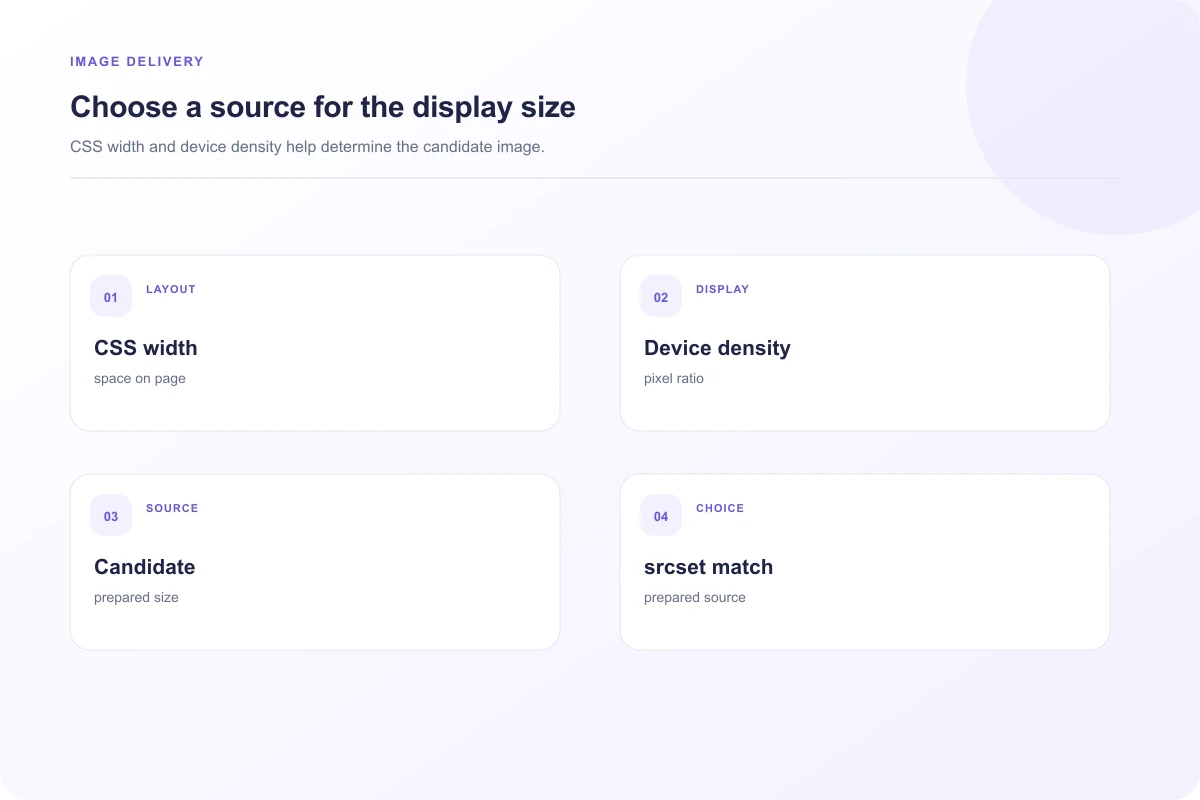
A 4,000-pixel photograph is wasteful as a small icon, while a thumbnail stretched across a product page can look soft. Export close to the largest size the page needs and inspect it at normal viewing scale. High-density screens may need a larger source; responsive markup can offer a suitable choice without making every visitor download the biggest file.
Compression reduces transfer size, but aggressive settings can add halos, banding or smudged details. Keep a high-quality original so you can export again. WebP works well for many images; check that the destination supports it, and inspect fine edges on logos, diagrams and text after conversion.
For several sizes, use `picture`, `srcset` or `sizes` with files you have actually prepared. Every URL in the markup must lead to a real variant with the intended crop and dimensions.
Pre-Publishing Verification
These small checks catch many broken image handoffs before a page is shared.
Image URL Diagnostics
The server may be marking it as an attachment or returning a generic file type. Check the response content type and disposition. Renaming a file changes its label, not the response sent by its host. See the image download diagnosis →
A browser, proxy or content platform may have cached the earlier bytes at the same address. Check whether the request is using a cache validator, then publish a new version or a new address if your workflow allows it. Keep a stable URL only when the host provides a clear replacement and cache policy. Read the cache investigation →
Showing a remote image and reading its pixels are different browser permissions. A canvas becomes tainted when the host does not grant the right cross-origin access. Your page may display the picture correctly while a pixel-reading operation throws a security error. Understand the canvas boundary →
Access Governance
Instant edge delivery for marketing assets and store photos.
Direct sharing without search engine crawling or indexing.
Revocable access with automatic invalidation window.
A public product photo and an internal screenshot should not get the same audience automatically. An unlisted link can be forwarded. Use workspace access for private drafts or customer material, remove unneeded personal details and choose an expiry for short reviews.
Names can also reveal a customer, project code or unreleased product. Give the delivery copy a neutral name, store the original appropriately and check screenshots for tabs, notifications and account details.
All Link Tools
Clear Limits & Pricing
$0 / forever
100% client-side privacy across all 8 dedicated workspaces.
$9 / month
Fast zero-egress cloud storage, direct links, and custom domains.
$29 / month
REST APIs, Webhooks, team seats, and high-volume asset distribution.
Useful details
The local workspace lets you select and inspect an image, but independent cloud storage and delivery are not enabled yet. The site will only show a hosted URL after the configured service confirms that the transfer completed.
It brings file-specific review, preparation and organization into one product. The workspaces account for how images, screenshots, PDFs, video, audio, GIFs, general files and HTML previews are actually used after selection.
No. File selection creates a browser preview for supported tools. A local preview is not a completed transfer, and it does not produce a public or private link.
A direct file URL is appropriate when the destination expects an image, video, audio file or document source. A share page adds a viewing page around the file. Verify the destination’s requirements and test the link before publishing it.
No. Anyone who receives a public or unlisted URL may be able to open and forward it. Use an authenticated workspace for content that needs access controls, and avoid uploading material that requires a dedicated confidential storage system.
The product includes separate local editors for supported image, PDF, GIF, audio and video operations. An editor export is a new file; review that output before treating it as the source for a later transfer.
An independent product in development
MediaToURL’s local tools and editors can be inspected now. Dedicated hosting, authentication and billing services are still being configured; we’ll publish their verified limits and behavior before enabling them.